Small business automation has a hype problem. The tools are genuinely useful, the marketing around them promises transformational productivity gains, and the reality for most businesses is somewhere in between. Some automations save hours every week from day one. Others take longer to set up than the time they save. A few create new problems in the process of solving old ones.
The businesses that get the most from workflow automation are the ones that approach it as a focused problem-solving exercise rather than a wholesale adoption of every tool that promises efficiency. Understanding which processes are worth automating, which platforms handle what, and how to implement without creating dependency on systems that break at inconvenient moments separates automation that compounds over time from automation that adds complexity without reducing workload.
What Workflow Automation Actually Is
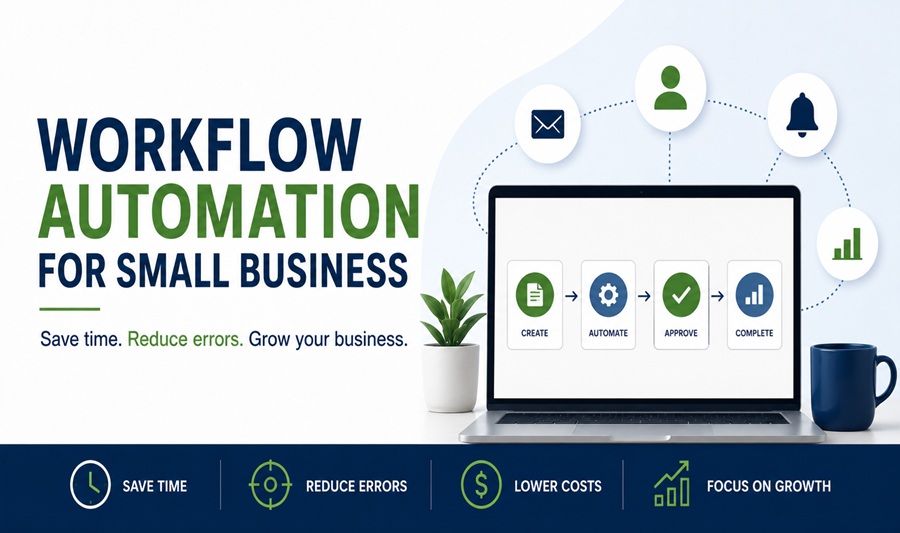
Workflow automation is the use of software to complete tasks and move information between systems automatically, without requiring human action at each step. When a customer fills out a contact form and receives an immediate confirmation email, gets added to a CRM, and triggers a notification to the sales team simultaneously, that’s workflow automation. When an invoice is marked paid in accounting software and automatically updates a project management system, removes a task from a follow-up list, and sends a receipt to the client, that’s workflow automation.
The underlying mechanism is the connection between triggers and actions. A trigger is an event that starts the automated sequence. An action is what happens in response. The automation platform monitors for triggers and executes the defined actions without human intervention.
What makes modern workflow automation accessible to small businesses without technical development resources is the emergence of no-code and low-code integration platforms that connect applications through visual interfaces rather than custom code. These platforms have lowered the barrier to automation from requiring a developer to requiring an afternoon of setup time for most common use cases.
The Processes Worth Automating First
Not all business processes deliver equal return on automation investment. The highest-value automation targets share specific characteristics: they happen frequently, they follow a consistent pattern with limited variation, they currently require manual action to move from one stage to the next, and the cost of errors in the manual process is meaningful.
Lead capture and follow-up is consistently among the highest-return automation targets for small businesses. When a prospect fills out a website form, books a consultation, or downloads a resource, the speed and consistency of the follow-up significantly affects conversion rates. Automated immediate acknowledgment, CRM entry, and sales team notification happen within seconds of the trigger event regardless of when it occurs, which manual processes can’t replicate reliably.
Invoice creation and payment follow-up addresses one of the most time-consuming and emotionally draining administrative tasks in service businesses. Automating invoice generation from project completion, sending payment reminders at defined intervals before and after due dates, and updating records when payment is received eliminates the manual tracking and personal follow-up that consumes significant owner time and creates awkwardness in client relationships.
Appointment scheduling and confirmation removes the back-and-forth communication that scheduling by email creates. Tools including Calendly, Acuity, and HubSpot’s meeting scheduler allow clients to book time directly against available calendar slots, with automated confirmation, reminder, and rescheduling notifications handling the communication that previously required manual management.
Customer onboarding sequences for new clients or customers benefit from automation that delivers consistent information, collects required documentation, and moves relationships through defined stages without requiring individual attention to each new customer. A service business that needs to collect contracts, preferences, and background information from every new client can automate the entire collection and confirmation sequence rather than managing it case by case.
Social media scheduling isn’t a business process automation in the operational sense, but for businesses that use content marketing, scheduling tools including Buffer, Hootsuite, and Later automate the publication of prepared content across platforms at defined times, replacing the daily manual publishing task with a weekly batch preparation process.
Reporting and data aggregation that currently requires manually pulling numbers from multiple systems and compiling them into a summary can be automated to produce regular reports without any manual assembly. A business owner who spends two hours every Monday pulling last week’s sales, marketing, and operational numbers into a summary document can automate that compilation to arrive automatically on Monday morning.
The Main Automation Platforms and What Each Does Best
The no-code automation market has consolidated around a small number of platforms that handle the majority of small business automation use cases, with specialized tools addressing specific categories.
Zapier is the most widely used general-purpose automation platform for small businesses, connecting over 6,000 applications through a straightforward trigger-action interface. Its strength is breadth. Almost any application a small business uses has a Zapier integration, and multi-step automations called Zaps can chain multiple actions from a single trigger. Pricing starts at a free tier with limited automation runs and scales to paid plans starting around $20 per month for higher volumes. Zapier is the right starting point for businesses that need to connect existing tools without technical resources.
Make, formerly Integromat, provides more powerful automation capability than Zapier for complex workflows with conditional logic, data transformation, and advanced routing. Its visual scenario builder handles multi-path workflows where different conditions trigger different actions more elegantly than Zapier’s linear structure. It’s more complex to set up but significantly more capable for sophisticated automations. Pricing is consumption-based and generally lower than Zapier for equivalent automation volume.
n8n is an open-source automation platform that can be self-hosted, giving businesses complete control over their automation infrastructure and data without ongoing subscription costs beyond hosting. It’s the right choice for technically capable businesses that handle sensitive data and want to avoid routing it through third-party automation platforms, or that need custom automation logic that hosted platforms don’t support.
HubSpot’s workflow automation is built directly into its CRM and marketing platform, handling the automations that live within the customer relationship including lead nurturing sequences, deal stage updates, task creation, and internal notifications. For businesses already using HubSpot, its native automation eliminates the need for external tools to handle CRM-connected workflows.
Monday.com, Asana, and ClickUp all include automation features within their project management environments, handling task creation, status updates, notifications, and assignments based on triggers within the platform. These automations work well for internal operational workflows that live within a single project management tool but have limited connectivity to external systems compared to dedicated integration platforms.
Mapping a Process Before Automating It
The most common automation mistake is automating a process before understanding it clearly. Automating a broken or inefficient manual process produces an automated broken process that runs at higher speed and is harder to fix.
Before setting up any automation, documenting the current manual process in sufficient detail to identify every step, every decision point, and every exception produces two useful outputs. It reveals whether the process is actually consistent enough to automate reliably, since processes with frequent exceptions and judgment calls automate poorly. It also reveals whether the process itself should be redesigned before it’s automated, since automation that preserves unnecessary steps locks in inefficiency rather than eliminating it.
The documentation exercise also identifies what data needs to move between which systems at each step, which is the information needed to build the automation accurately. An automation that moves the wrong data field or triggers at the wrong point in the process creates errors that can be worse than the manual process because they happen at volume without human review.
The Automations That Tend to Create Problems
Some automation use cases that seem compelling in theory create more problems than they solve in practice for small businesses.
Customer service automation through chatbots and automated response systems works well for genuinely common, predictable inquiries with clear answers. It fails for anything requiring judgment, context, or emotional sensitivity. A customer who has experienced a serious problem and receives an automated response that doesn’t address their specific situation will be more frustrated after the automation than before it. The damage to the relationship can exceed the efficiency gained across all the straightforward inquiries the automation handled correctly.
Automated social media engagement, including tools that automatically like, follow, or comment based on keywords, consistently creates brand embarrassment through responses that are contextually inappropriate. The platforms themselves penalize automation that violates their terms of service, and the accounts most aggressive in this kind of automation regularly face reach restrictions or suspension.
Complex financial automations involving payment processing, reconciliation, and account transfers warrant extreme caution. An error in an automated payment workflow can create incorrect charges, missed payments, or reconciliation problems that take significant time to identify and correct. The cost of errors in financial automations frequently exceeds the time savings, particularly when the error runs undetected through multiple cycles before being caught.
Security and Data Considerations
Workflow automation platforms act as intermediaries between the business applications they connect, which creates data security and privacy considerations that small businesses don’t always think through before connecting sensitive systems.
Connecting a CRM containing customer personal data to an external automation platform means that customer data flows through that platform’s servers. Understanding the data handling practices, storage locations, and security certifications of any automation platform before connecting systems containing personal data is worth doing before the automation is built rather than after a compliance question arises.
Access credentials for connected applications are stored by automation platforms to enable their connections. These credentials should be reviewed regularly, revoked for applications that are no longer connected, and protected with the same care as direct application credentials. An automation platform with extensive application connections represents a significant access surface if the platform account is compromised.
Starting Small and Scaling Deliberately
The practical approach to workflow automation for a small business is to identify one genuinely painful manual process, automate it completely before moving to the next, and evaluate the result honestly before expanding. This sequential approach builds automation competence incrementally, produces real-world evidence of what automation delivers in the specific business context, and avoids the situation where multiple partially built automations are running simultaneously with unclear ownership and maintenance responsibility.
The businesses that accumulate the most automation value over time aren’t those that automate aggressively from the start. They’re the ones that automate consistently, maintain what they build, and add new automations only when the existing ones are stable and the next target is clearly identified.
The Small Business Administration’s Technology Resources provides guidance on evaluating and adopting business technology including automation tools, with a practical framework for assessing technology investments against actual business needs rather than vendor capabilities.